Curved walls and arches

Bow a wall into a curve as you draw it, change how far it bows, and turn an opening into an arch.

10 min6 stepsEnglish · Reviewed

01/ 6

Draw a curved wall

This step starts with three walls, open on the right, and Draw walls drawing on from the bottom right corner.

  1. Hold Shift and click the top right corner, where the first wall began. The bar says: Move to bow the wall, then click.
  2. Move the pointer out to the right. The wall bows towards it, as far as a half circle. Snapping is off while you do this, so it bows exactly as far as you point.
  3. Click.

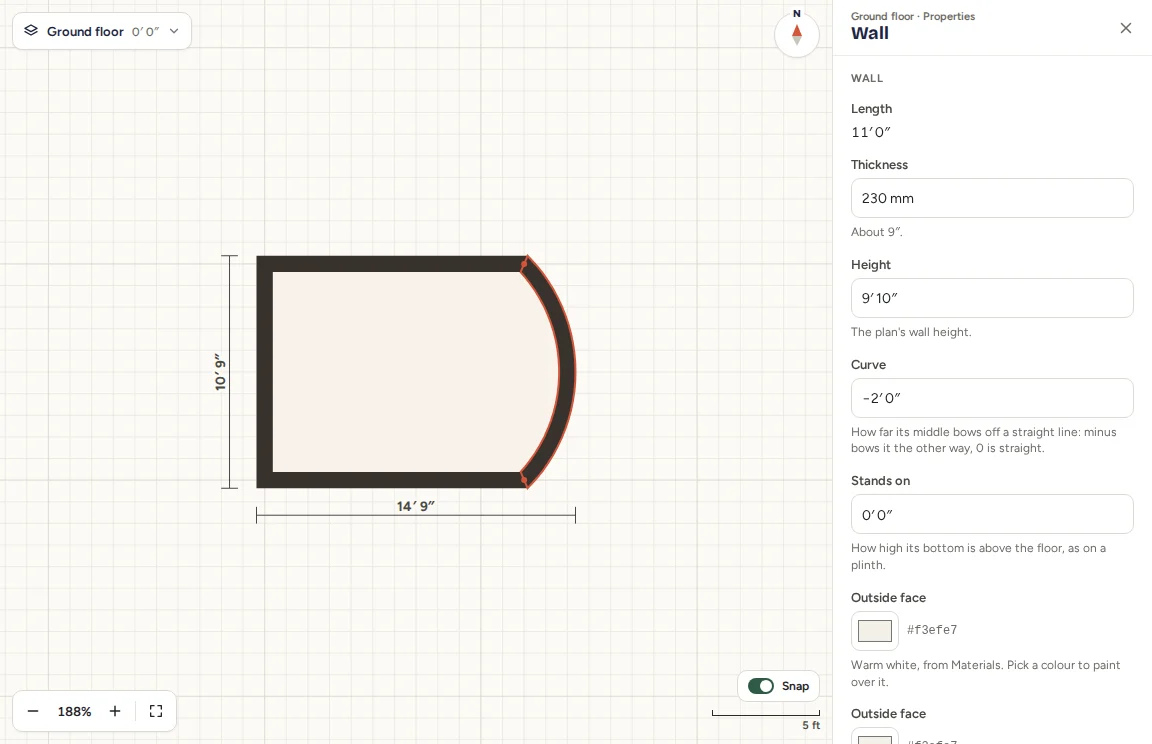
The curved wall closes the room, like a bay.

You should see
A wall bowing out to the right, and the room’s floor filled in behind it.
Something not right?

A straight wall went in? Shift must be held as you click the corner. Undo with Ctrl + Z and try again.

A curved wall joins others only at its ends, and never in the middle of another wall: start and end it on corners.

Draw walls

Three straight walls and a fourth bowing out to the right, closing the room.This step is done in the page’s editor, which needs JavaScript.
02/ 6

Change how far it bows

Choose Select (V) and click the curved wall. Its properties open on the right.

Bow says how far its middle stands off a straight line between its ends. Change the value and press Enter: a bigger number bows it further. Keep its sign, or it bows the other way.

A straight wall has the same field: give it a Bow to curve a wall you have already drawn.

You should see
The wall bowing more, or less, as you type.
Something not right?
The value won’t take? A curve that would cross another wall, or leave a door or window no longer fitting, is refused. Try a smaller one.
PropertiesThe curved wall selected, and Curve in its properties.

03/ 6

Put an opening in a wall

Open the Place group on the left and choose Doors and windows, or press O. In the bar at the top, choose Opening: a way through the wall, with no door in it.

Click the middle of the left hand wall.

You should see
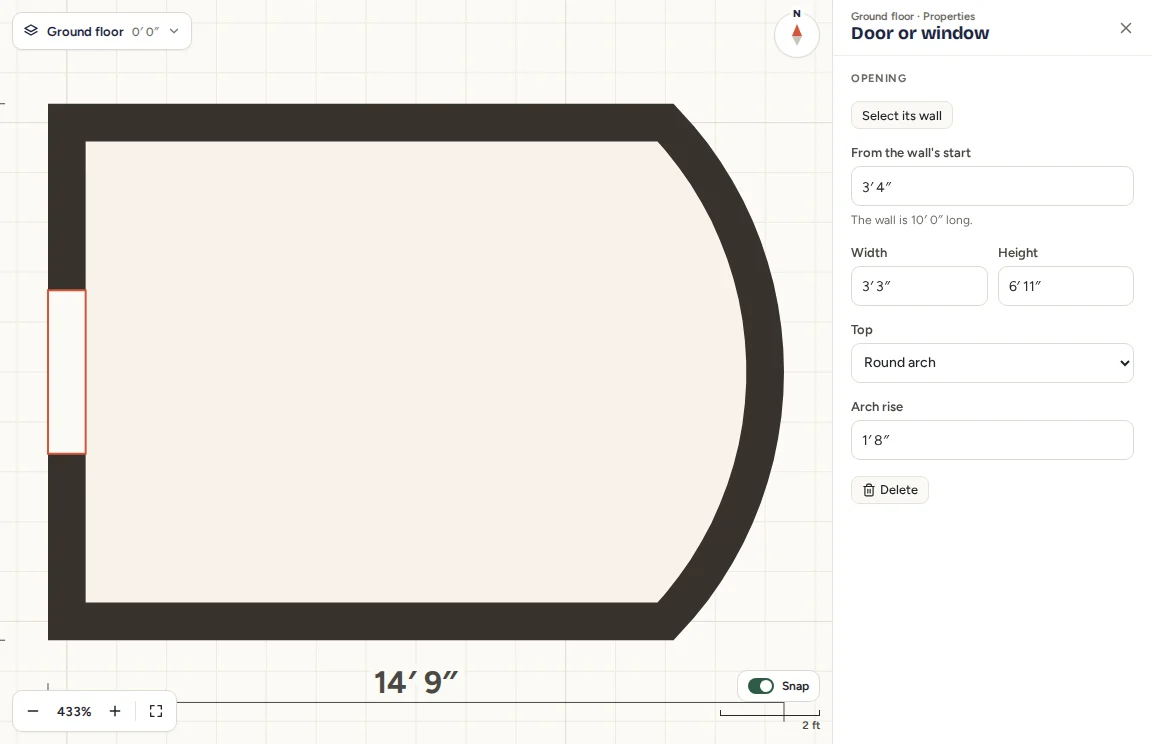
A gap in the left hand wall.
Something not right?
A message says The opening doesn't fit on that wall. Type a smaller width before you click.
Doors and windows

Doors and windows with Opening chosen, and a gap in the left hand wall.This step is done in the page’s editor, which needs JavaScript.
04/ 6

Make it an arch

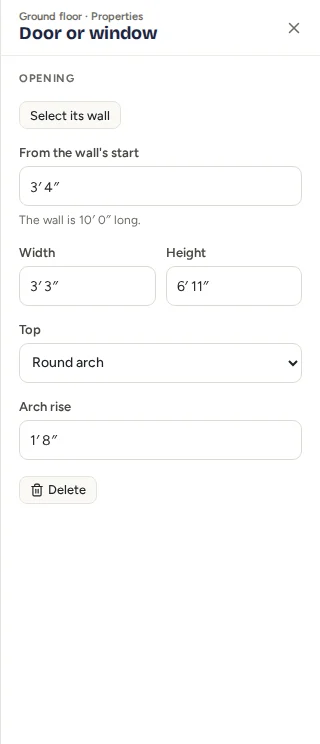
Choose Select and click the opening. In its properties, open Top and choose Round.

The other arches are Segmental, a flatter curve, and Pointed. Flat makes it square again. Doors and windows have the same choice.

You should see
Round arch shown for its Top. The arch is in the opening’s top, so you’ll see it in 3D.
Something not right?
No Top in the properties? You selected the wall rather than the opening. Click inside the gap.
PropertiesThe opening selected, and Round arch chosen for its Top.

05/ 6

Set how high the arch rises

Once the top is an arch, Rise appears under it: how far the arch rises above the straight sides. A round arch starts at half the opening’s width, a true half circle.

Type a smaller rise for a flatter arch, and press Enter.

You should see
The new rise in the field. You’ll see the arch itself in the next step.
Something not right?
Changed your mind? Choose Flat in Top to make the top square again.
PropertiesArch rise in the opening's properties, under Top.

06/ 6

See the arch in 3D

Press Split at the top. The plan stays on one side and the room opens in 3D beside it.

Drag to look round to the arched opening. Cut away the walls above 1.2 m shows the room from above with its walls cut low; turn it off again to see the arch whole.

You should see
The curved wall, and the opening with its round arch, in 3D.
Something not right?
The 3D view is slow to appear the first time: it loads when you first open it.
Split

The plan and the 3D view side by side, the arched opening in the room's left hand wall.This step is done in the page’s editor, which needs JavaScript.

6 of 6 · Done

Your room has a curve and an arch.

You bowed a wall as you drew it, changed its curve, and gave an opening a round arch. Doors and windows can be arched the same way.